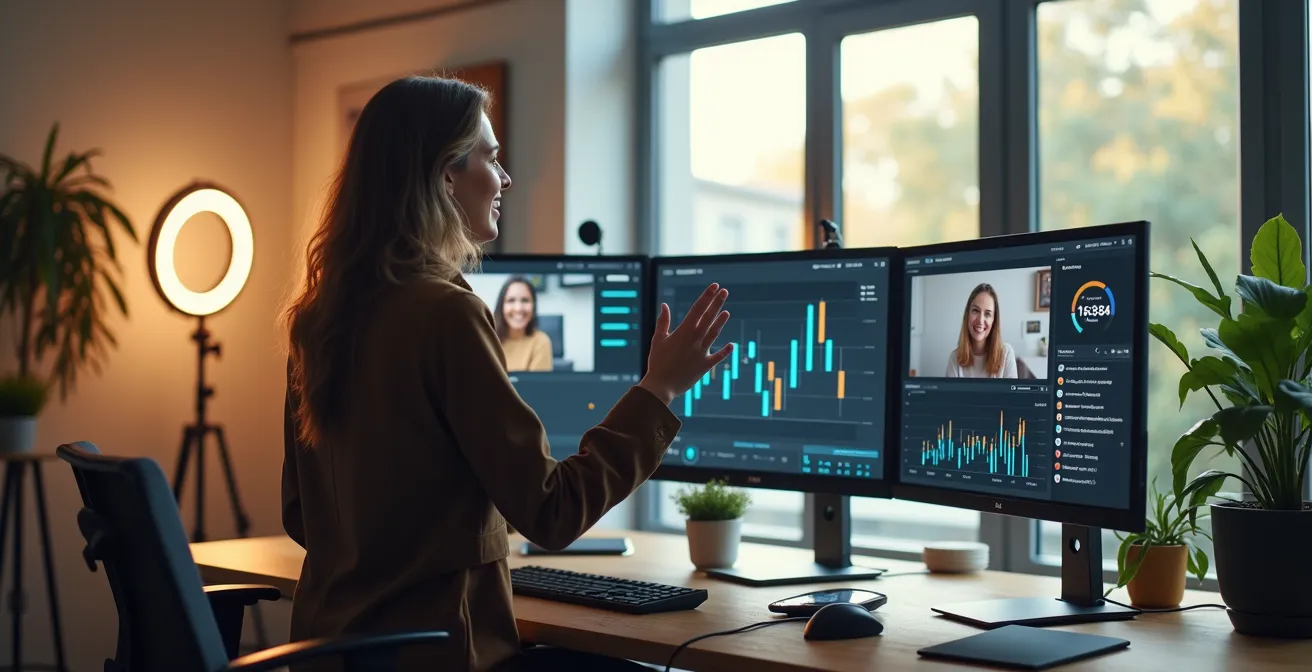
Stop blaming passive audiences; the silence is a data point telling you the session’s psychological architecture has failed.
- High interaction isn’t about charisma, it’s about engineering specific triggers like dopamine loops from instant feedback.
- Effective engagement uses diagnostic tools—like sequential polling and structured breakout tasks—to pinpoint and resolve confusion in real time.
Recommendation: Shift from “trying to be engaging” to systematically implementing and measuring the engagement mechanics detailed in this guide to drive your interaction rate above 80%.
You launch the poll, and the silence is deafening. A few token responses trickle in, but the vast majority of your audience remains hidden behind black screens, a passive sea of names on a list. You’re a webinar host or a teacher, and you’re frustrated. You’ve tried the common advice: “be more energetic,” “ask more questions,” “use more polls.” Yet, the engagement needle barely moves. You feel like you’re performing to an empty room, and your message is getting lost in the digital void.
The problem is that most advice treats engagement as an art form, a matter of personality or a simple checklist of features to use. But what if the path to an 80%+ interaction rate wasn’t an art, but a science? What if participation wasn’t a matter of chance, but a predictable outcome you could design? The key isn’t just *using* tools like polls and breakout rooms; it’s about *engineering* them to trigger specific psychological responses in your audience.
This is the core of engagement engineering. It’s a metric-obsessed approach that moves beyond generic tips to focus on the underlying mechanics of human motivation. It’s about understanding the dopamine hit from instant feedback, creating psychological safety for introverts, and designing tasks that make collaboration a necessity, not an option. It’s time to stop guessing and start building a system that makes active participation the default, not the exception.
This guide will deconstruct the system for achieving sky-high interaction rates. We will explore the data-driven strategies for designing everything from debate-sparking polls to failure-proof breakout rooms, providing you with a complete blueprint for transforming your passive viewers into active, engaged participants.
Summary: Engineering High-Interaction Live Sessions
- Why Instant Feedback Triggers Higher Motivation Than Delayed Grades?
- How to Write Poll Questions That Spark Debate Instead of Silence?
- Text Chat or Open Mic: Which Yields Better Questions from Introverts?
- The “Camera Off” Signal That Means You’ve Lost the Room
- When to Insert an Energizer: The 15-Minute Rule You Must Follow
- How to Use Badges and Leaderboards Without Creating Toxic Competition?
- How to Design Breakout Tasks That Prevent Awkward Silence?
- How to Pinpoint Exactly Which Step of a Process Your Team Fails At?
Why Instant Feedback Triggers Higher Motivation Than Delayed Grades?
The difference between a participant who actively engages and one who passively consumes often comes down to a single neurochemical: dopamine. Traditional education relies on delayed feedback—grades at the end of a week, feedback on a paper days later. This delay severs the connection between action and reward. In contrast, live, interactive feedback creates a powerful and immediate dopamine loop. When a participant answers a poll and instantly sees their choice reflected in a live chart, their brain receives a small but significant reward signal.
This isn’t just a theory; it’s rooted in neuroscience. Harvard research on motivation highlights that intrinsically motivating experiences, such as social interaction and immediate validation, trigger a dopamine surge. This surge doesn’t just signal pleasure; it signals the *anticipation* of reward, which in turn fuels the motivation to participate again. Essentially, each instant poll result, each answered question in the chat, primes the participant’s brain to seek out the next opportunity to engage. You are not just asking a question; you are activating the brain’s core reward circuitry.

As this visualization of neural pathways suggests, learning isn’t a passive process of information absorption. It’s an active process of forming connections, and instant feedback acts as the catalyst. By engineering these moments of immediate validation, you are not just making your session more “fun”—you are leveraging the very mechanisms the brain uses to prioritize focus and motivate action. This is the fundamental building block of an 80%+ interaction rate: turning participation from a chore into a rewarding neurochemical experience.
How to Write Poll Questions That Spark Debate Instead of Silence?
A poll is not just a tool for collecting data; it’s a script for starting a conversation. The reason most polls are met with silence is that they are designed as dead ends. A “Yes/No” or a simple multiple-choice question on a factual point gets a click, but it doesn’t give the audience anything to talk about. To engineer debate, your questions must introduce a healthy level of cognitive friction. They must force a choice between compelling options or challenge a preconceived notion.
The most effective polls move beyond simple knowledge checks. For example, instead of asking “Do you agree with X?”, use a Ranking Poll that forces prioritization: “Rank these three strategies from most to least effective for our goal.” This immediately creates a spectrum of opinions, not a binary choice. Another powerful technique is to include a provocative but plausible wrong answer. When you reveal the results and highlight why that option is tempting but ultimately incorrect, you create a powerful, memorable teaching moment that invites discussion.
The real magic, however, happens *after* the poll closes. Simply showing the results is a wasted opportunity. You must talk about the results live. Discussing the distribution of answers validates every participant’s contribution and proves you are actively using their input. In fact, research shows that webinars that include interactive features see a 22% higher engagement rate, and this effect is amplified when the results are made part of the ongoing narrative. This simple act transforms a passive data point into an active part of the shared learning experience, encouraging more people to vote in the next poll.
- Start your session with an ice-breaker poll to get people comfortable with participating.
- For a one-hour session, aim to run 3-4 well-designed polls to maintain momentum.
- Use ranking polls to force prioritization and reveal audience priorities.
- Include deliberately provocative (but plausible) wrong answers to create teachable moments.
- Always discuss the poll results live to show you value the audience’s input and close the engagement loop.
Text Chat or Open Mic: Which Yields Better Questions from Introverts?
The “any questions?” prompt followed by awkward silence is a classic sign of a mismatch between the communication channel and audience psychology. While an open mic policy seems democratic, it heavily favors extroverted personalities who are comfortable thinking on their feet and taking the spotlight. For the significant portion of your audience who are introverted, the pressure of an open mic is a powerful deterrent. They prefer to formulate their thoughts carefully before sharing, a process that live audio simply doesn’t allow for. To truly hear from your entire audience, you must engineer psychological safety into your Q&A process.
Text-based chat is the engagement strategist’s single most powerful tool for this. It allows participants to compose, edit, and perfect their questions without the pressure of public speaking. As Training Facilitator Becky notes in a piece on virtual training, this is a game-changer for quieter individuals.
Using the chat box is really good because then people who may be a bit quieter can access it. Using things like Slido, using the Whiteboard, is great because then people can feed in, and all share their thoughts and ideas on a topic—it doesn’t matter about taking turns.
– Becky (Training Facilitator), How to Make Virtual Training More Engaging
The data clearly supports this approach, showing that text-based methods consistently outperform open mics for both participation rates and the quality of responses from introverts. A comparative analysis from research on virtual training engagement reveals a stark difference in participation across various channels.
| Method | Introvert Engagement | Response Quality | Participation Rate |
|---|---|---|---|
| Anonymous Text Chat | High | More thoughtful | 85% |
| Named Chat | Medium | Balanced | 65% |
| Open Mic | Low | Spontaneous | 25% |
| Hybrid (Text then Read) | Very High | High quality | 90% |
The optimal strategy is the “Hybrid” model: collect questions via text chat (ideally with an anonymous option) and then have the host read them aloud. This combines the safety of text with the shared experience of audio, maximizing both the quantity and quality of questions and ensuring all voices, not just the loudest, are heard.
The “Camera Off” Signal That Means You’ve Lost the Room
Many hosts interpret a sea of “camera off” icons as the primary sign of disengagement. But this is a critical mistake. By the time cameras go off, you’ve *already* lost the room. The camera status is a lagging indicator of engagement. A true engagement strategist focuses on leading indicators—real-time data streams that signal fading attention long before a participant clicks “Stop Video.” Relying on video feeds is like watching the smoke instead of the fire alarm.
To get ahead of disengagement, you must shift your focus to non-visual metrics. These are the subtle digital breadcrumbs your audience leaves that, when tracked, paint a high-resolution picture of their attention span. Instead of worrying about faces, you should be obsessed with data points like poll response times, chat contribution rates, and the frequency of emoji reactions. A sudden drop-off in chat activity or a lengthening delay in poll responses is a much earlier and more reliable warning sign than a camera going dark.

This dashboard-driven approach turns engagement from a feeling into a measurable science. You are no longer guessing if the audience is with you; you are tracking it. This allows you to intervene *before* attention collapses entirely, perhaps by deploying a reactive energizer or by re-explaining a concept that has clearly caused confusion. Your goal is to create a system of real-time feedback that keeps your finger on the pulse of the room, even when you can’t see a single face.
Your Engagement Audit Checklist: Beyond the Camera
- Chat Contribution Rate: Monitor the frequency and depth of messages in the chat. Is it active and conversational or silent?
- Poll Response Time: Track the time it takes for poll responses to come in. A lag indicates waning attention.
- Question Depth & Frequency: Are attendees asking questions? Are the questions superficial or do they show deep engagement with the content?
- Emoji Reaction Patterns: Observe the use of reaction features. A steady stream of reactions shows active listening.
- Breakout Room Participation: When you bring groups back, do they have a designated speaker with a tangible output, or is there silence?
When to Insert an Energizer: The 15-Minute Rule You Must Follow
The human attention span is not a marathon runner; it’s a sprinter. Expecting an audience to maintain peak focus for an hour straight is a recipe for disengagement. The most common mistake facilitators make is waiting until they “feel” the energy dip before intervening. By then, it’s often too late. Engagement engineering requires a proactive, rhythm-based approach to managing audience energy, and it’s governed by a simple rule: plan an interaction every 10 to 15 minutes.
This isn’t an arbitrary number. Research into virtual learning shows that to maintain focus, you should aim to engage participants actively at least every 10 minutes. This creates a predictable rhythm for the session, resetting the audience’s attention clock before it runs out. These “energizers” don’t have to be elaborate. They can be as simple as a quick poll, a call for emoji reactions, or a 60-second “what’s your key takeaway so far?” in the chat. The key is the consistency of the rhythm.
A sophisticated facilitator will also vary the *type* of energizer to match the needs of the moment. Not all energizers are created equal. Your toolkit should include different categories of activities to deploy strategically:
- Physical Energizers: Combat screen fatigue with a quick two-minute stretch break. This is especially effective during longer sessions.
- Cognitive Energizers: Re-engage the brain with a quick puzzle or a hypothetical problem related to the topic.
- Social Energizers: Build connection and community with a non-work-related poll, like “What’s your go-to productivity snack?”
- Pre-emptive Energizers: Proactively schedule a brief, fun activity just *before* tackling the most complex or data-heavy segment of your presentation.
By scheduling these micro-interactions at regular intervals, you are not interrupting the flow; you are sustaining it. You are building a session architecture that respects cognitive limits and keeps the audience with you from start to finish.
How to Use Badges and Leaderboards Without Creating Toxic Competition?
Gamification is a powerful motivator, but when poorly implemented, it can backfire spectacularly. Traditional leaderboards that rank individuals based on “points” often create a culture of toxic competition. They celebrate only a narrow type of contribution (e.g., answering first or fastest), while discouraging those who are more reflective or collaborative. This can alienate a large portion of your audience and kill psychological safety. The goal of gamification is not to find a single “winner,” but to motivate and recognize diverse forms of participation.
Healthy gamification design shifts the focus from individual ranking to collective achievement and personal growth. Instead of a single leaderboard, consider using team-based challenges. This channels competitive energy into collaboration and encourages peer support. The goal becomes “our team wins together,” not “I beat you.” This is especially effective in breakout rooms, where a team might earn a badge for presenting the most creative solution.

Another powerful strategy is to award badges for behaviors that support a healthy learning environment. Instead of just “Most Correct Answers,” create awards like:
- The “Peer Helper” Award: Given to someone who answers another participant’s question in the chat.
- The “First Question” Badge: Recognizes the courage to break the ice and ask the first question of a segment.
- The “Connector” Badge: Awarded for linking a current topic to a previous one, showing deep listening.
Finally, implement “Personal Best” tracking. This allows participants to compete against their own previous scores or levels of participation. It fosters a sense of mastery and progress without creating interpersonal conflict. By celebrating process, helpfulness, and personal growth, you can harness the power of gamification to build a vibrant and supportive community, not a cutthroat competition.
How to Design Breakout Tasks That Prevent Awkward Silence?
The breakout room is the most powerful—and most frequently misused—tool in the virtual facilitator’s arsenal. Too often, hosts send groups into rooms with a vague prompt like “discuss this topic” and are then surprised by the awkward silence that follows. This silence is not the fault of the participants; it’s a failure of task design. To prevent it, you must engineer structured friction and interdependence into the task itself.
Effective breakout tasks don’t just suggest collaboration; they require it. The structure of the task must make it impossible for one person to do all the work or for the group to succeed without input from every member. As research from Training Industry highlights, clarity is paramount.
Give clear and detailed instructions so the groups know exactly what to do in their breakout. Appoint a leader to avoid awkwardness at the start of the discussion or activity.
– Training Industry Research, 10 Strategies to Make Virtual Training More Engaging
Beyond appointing a leader, the task design itself is the most critical element. Instead of open-ended discussions, use highly structured formats that create clear roles and require a specific, tangible output. Different structures are suited for different goals, and choosing the right one is key.
| Task Type | Structure | Engagement Level | Time Allocation |
|---|---|---|---|
| Jigsaw Method | Each member has unique info | Very High | 15-20 min |
| Tangible Deliverable | Specific output required (e.g., 3 bullet points) | High | 10-15 min |
| Role-Based Tasks | Pre-assigned roles (Timekeeper, Scribe, Reporter) | High | 15-20 min |
| Open Discussion | Unstructured sharing | Low | 5-10 min |
The Jigsaw Method is the gold standard for engineered interdependence. Before the breakout, you give each future group member a unique piece of information. The only way for the group to complete the full picture is for every single person to contribute their piece. This makes every participant an essential expert, eliminating the possibility of passive observation and guaranteeing a 100% participation rate within the group.
Key takeaways
- Engagement is a science, not an art. It can be engineered and measured through specific psychological triggers.
- Instant feedback via polls and chat creates a dopamine loop that neurologically motivates further participation.
- To truly hear from everyone, prioritize psychological safety with text-based Q&A over open mics, which favor extroverts.
- Don’t wait for cameras to turn off. Track leading indicators like poll response times and chat frequency to preempt disengagement.
How to Pinpoint Exactly Which Step of a Process Your Team Fails At?
One of the most advanced applications of engagement engineering is using interactive tools not just for participation, but for live diagnostics. Imagine you’re teaching a multi-step process, and you know the audience is getting lost somewhere, but you don’t know where. A single “are you confused?” poll at the end is useless. You need a more precise instrument—a scalpel, not a sledgehammer. This is where Sequential Polling comes in.
The framework is simple but powerful. First, break down your process into 5-7 distinct, measurable steps. After you teach each major step or segment, you run a quick, simple poll: “On a scale of 1-5, how confident are you with Step 2?” You document the results in real time. By the end of the session, you won’t have a vague feeling of where people got lost; you will have a chart that pinpoints the exact step where confidence plummeted. You’ve just transformed a general problem (“they’re not getting it”) into a specific, actionable diagnosis (“they understand steps 1 and 2, but confidence drops by 50% at Step 3”).
This technique turns your live session into a dynamic feedback system for your own content. You can even take it a step further by creating a Knowledge vs. Execution matrix. After identifying the problem step, run a follow-up poll: “Regarding Step 3, is the primary issue A) Understanding the concept, or B) Knowing how to apply it in practice?” This tells you whether you need to re-teach the theory or provide a better practical example.
This diagnostic approach provides immense value to both you and the audience. They feel heard and see that their feedback is being used to improve the session on the fly, which encourages even more honest input. You, as the facilitator, gain invaluable, granular data on your content’s weak points, allowing for continuous optimization. This is the pinnacle of a metric-obsessed mindset: using engagement not just as an outcome, but as a powerful diagnostic tool.
Now that you have the complete blueprint for engagement engineering, the next step is to move from theory to implementation. Start by integrating one or two of these data-driven strategies into your next live session and measure the difference. Your journey to a consistent 80%+ interaction rate begins now.