
Contrary to popular belief, a messy PM tool isn’t a sign of poor organization, but of broken systems. This guide reveals that the solution isn’t just archiving old tickets. It’s about re-engineering your team’s core workflows—choosing tools that match your team’s thinking, defining clear communication channels, and automating repetitive work—to prevent the digital junkyard from ever forming.
You open your project management tool—be it Jira, Asana, or Trello—and feel a familiar sense of dread. The dashboard is a digital junkyard: a graveyard of outdated tickets, a cacophony of notifications, and a maze of tasks with unclear owners. Your team spends more time trying to figure out what to work on than actually working. The promise of clarity and efficiency has been replaced by a reality of digital clutter and constant “work about work.”
The common advice is to apply digital duct tape: archive old tasks, add more tags, or schedule a “clean-up sprint.” But these are temporary fixes for a systemic problem. This constant tidying is a tax on your team’s productivity. The mess isn’t a sign of personal disorganization; it’s a symptom of deeper issues in your team’s operating system. The tools are overflowing because your fundamental workflows—how you communicate, document, and automate—are broken.
What if the solution wasn’t to become a better janitor of individual tasks, but a better architect of your entire digital workspace? This guide adopts the mindset of a Digital Housekeeper. We won’t just sweep the dust under the rug. We will diagnose the root causes of the clutter and engineer a self-cleaning system. By focusing on systemic digital hygiene, you can transform your PM tool from a source of stress into a true system of record that accelerates work instead of slowing it down.
Throughout this article, we will dissect the core pillars of a clean and efficient project management ecosystem. We’ll move from identifying costly tool-bloat to engineering automated workflows and building a culture of asynchronous communication that keeps your digital workspace pristine by design.
Contents: How to Detox Your Project Management System
- Why Paying for Trello, Asana, and Monday Is Killing Productivity
- How to Use Zapier to Save 5 Hours of Data Entry Per Week
- Visual Flow or Sprint Lists: Which Matches Your Team’s Brain?
- The “All-Channel” Mistake That Distracts Your Team Every 3 Minutes
- How to Name Files So Anyone Can Find Them in 10 Seconds
- Why Manual Data Entry Costs Your Business Thousands Annually
- Why Your Lack of a Written Handbook Is Causing Slack Overload
- How to Transition From a Sync-Heavy Office to an Async-First Remote Team
Why Paying for Trello, Asana, and Monday Is Killing Productivity
The first principle of digital housekeeping is to question what you own. Your company pays for a suite of powerful project management tools, but are you using their power, or are you just paying for their complexity? Tool-bloat is a silent productivity killer. When a team uses less than 30% of a tool’s features, they are paying a “complexity tax”—navigating a cluttered interface and an overwhelming number of options just to perform simple tasks. This complexity directly fuels the “work about work” fire.
This isn’t just a feeling; it’s a measurable drain on resources. Research shows that half of project managers spend one full day or more every single month just manually gathering and reporting on project status. That’s time not spent solving problems, mentoring team members, or planning future sprints. It’s time spent being a human API, patching together information that the tool was supposed to organize in the first place. The more features, integrations, and customization options a tool has, the easier it is to create a bespoke system so complicated that no one, not even its creator, can manage it efficiently.
True productivity comes from radical simplification. It’s about ruthlessly culling the features you don’t use and standardizing the ones you do. Before you can clean the house, you must first get rid of the junk. A tool with five core features that everyone on the team understands and uses daily is infinitely more valuable than a “powerhouse” platform with 50 features that only one person has mastered. The goal is to create a lean, intuitive system where work flows, rather than gets stuck in a mire of options.
Your Action Plan: Auditing Your PM Tool’s “Productivity Tax”
- Track “Meta-Work”: For one week, estimate the time your team spends organizing the tool itself (e.g., renaming tasks, cleaning up boards, explaining views) versus doing the actual work described in the tasks.
- Count Unused Features: List the top 10 features of your PM tool. Poll your team to see how many they use regularly. If the average is below four, you are paying for complexity you don’t need.
- Measure Search Time: Time how long it takes a team member to find a specific piece of information or a task from six months ago. If it takes longer than two minutes, your information architecture is broken.
- Calculate Error Rate: Identify how many tasks in the last month were delayed or done incorrectly due to unclear instructions, missed updates, or miscommunication within the PM tool.
- Compare Reality vs. Promise: Review the marketing promises made by your PM tool. Are you experiencing those specific benefits (e.g., “30% faster project completion”), or are they just a sunk cost?
How to Use Zapier to Save 5 Hours of Data Entry Per Week
Once you’ve decluttered your toolset, the next step in digital housekeeping is to stop doing the cleaning yourself. Manual data entry is the digital equivalent of sweeping the same floor every day. It’s repetitive, prone to error, and a colossal waste of your team’s cognitive energy. Automation tools like Zapier act as your digital janitor, working 24/7 to keep your systems clean and data flowing to the right places without human intervention.
This concept of an automated workflow is best understood visually. Instead of a person manually moving information from one system to another, imagine a series of interconnected gears, each one triggering the next in a seamless chain reaction.

As the image suggests, each automated step builds on the last, creating a self-sustaining system. For example, when a new lead fills out a form on your website (Gear 1), Zapier can automatically create a new card in your Trello sales pipeline (Gear 2), assign it to a team member (Gear 3), and send a notification in a specific Slack channel (Gear 4). No copying, no pasting, no forgetting a step. This isn’t just about convenience; it’s about reclaiming significant amounts of time. For instance, Toyota uses Zapier to automate sales and operational tasks, saving over 20 hours per week. For marketers, the gains can be even more substantial; Zapier’s data shows power users saving up to 25 hours weekly.
The key is to start small. Identify one repetitive, low-value task your team performs daily. Is it creating a new project task every time a customer support ticket is escalated? Is it manually adding new email subscribers to a spreadsheet? Automate that one task. The five hours you save this week can be reinvested in higher-value strategic work, creating a virtuous cycle of efficiency.
Visual Flow or Sprint Lists: Which Matches Your Team’s Brain?
A common cause of a messy PM tool is a fundamental mismatch between the tool’s structure and how the team naturally thinks. Forcing a team of associative, visual thinkers to use a rigid, text-based list is like asking a fish to climb a tree. It creates constant friction, leading to workarounds, abandoned tasks, and a system that nobody wants to use. Effective digital housekeeping means choosing a tool that aligns with your team’s dominant cognitive style.
Broadly, teams fall into two categories. Visual-associative thinkers excel with Kanban-style boards (like Trello or Asana’s board view). They need to see the relationships between tasks, the flow of work across stages, and the big picture at a glance. For them, moving a card from “To Do” to “Done” provides a powerful, tangible sense of progress. On the other hand, linear-sequential thinkers thrive on structured sprint lists (like Jira’s classic view or a simple checklist). They need clear steps, ordered priorities, and the satisfaction of checking items off a list. For them, a visual board can feel chaotic and unstructured.
As a remote work expert noted in The Art of Async: The Remote Guide to Team Communication, good systems are a necessity for distributed teams, but they are simply good practice for any team:
The funny thing is that all of the things that you have to do on a remote team are actually just good management practices. You just aren’t forced to do them in a co-located team because you can use patches like meetings and quick 1:1s.
– Remote work expert, The Art of Async: The Remote Guide to Team Communication
Choosing the right system is one of those core “good management practices.” A tool that doesn’t match your team’s brain is a tool that will inevitably become a junkyard, as the team will resist using it correctly. The following table breaks down the key differences to help you diagnose which system is right for you.
| Aspect | Visual Flow (Kanban) | Sprint Lists |
|---|---|---|
| Best For | Associative thinkers who need to see relationships | Linear thinkers who excel with sequential steps |
| Cognitive Load | Lower for visual processors | Lower for text-based processors |
| Flexibility | High – continuous flow | Structured – fixed timeboxes |
| Progress Tracking | Visual movement across columns | Checklist completion |
| Team Size | Better for smaller teams (under 10) | Scales better for large teams |
The “All-Channel” Mistake That Distracts Your Team Every 3 Minutes
Your PM tool has become a junkyard for a simple reason: it’s being used for everything. It’s a task manager, a chat app, a file storage system, and a place for random ideas. When a tool has no clear purpose, it creates notification chaos and forces your team into a state of constant context-switching. This isn’t a small problem; knowledge workers waste up to 60% of their time on “work about work,” which includes chasing status updates and trying to find information scattered across multiple channels.
The solution is to implement a Channel Charter. This is a core tenet of digital hygiene: every communication tool in your stack must have one, and only one, primary job. By defining the purpose of each channel, you eliminate ambiguity and tell your team exactly where to look for specific types of information. This dramatically reduces the cognitive load of having to check every tool for every update.
A well-defined charter turns your tool stack into a clean, organized workshop where every tool has its designated place. Here are the foundational rules for a simple and effective Channel Charter:
- Define Your PM Tool’s Purpose: This is the System of Record for all work. A task does not exist unless it’s in this tool. All updates, files, and decisions related to a task live within that task. It should be checked deliberately, perhaps twice a day, not monitored constantly.
- Define Your Chat Tool’s Purpose (e.g., Slack): For urgent, time-sensitive coordination (“Is the server down?”) and social connection. It is not for assigning tasks or making important decisions. A reasonable response time is within two hours, not two minutes.
- Define Email’s Purpose: For external communication with clients and partners, and for formal, long-form internal announcements. It is not for quick questions or project updates. A 24-hour response time is acceptable.
- Establish “Deep Work” Windows: Formalize 2-4 hour blocks in the team’s calendar where notifications are silenced. This gives them permission to disconnect from the noise and focus on value-creating work.
By creating these clear boundaries, you stop the flood of information overwhelming your PM tool. It can finally do the job it was designed for: managing work, not managing conversations.
How to Name Files So Anyone Can Find Them in 10 Seconds
A cluttered PM tool is often a symptom of a cluttered filing system. When documents are named `Final_Report_v2_new.docx` and attached to a dozen different tasks, you’ve created a digital landfill. The ability to find any document, asset, or piece of information in seconds is not a luxury; it’s a requirement for effective, asynchronous work. A logical and enforced file naming convention is the backbone of your team’s shared brain.
Think of your digital files not as a messy pile on a desk, but as a meticulously organized library card catalog. Each file has a specific, predictable name and location, making retrieval effortless.
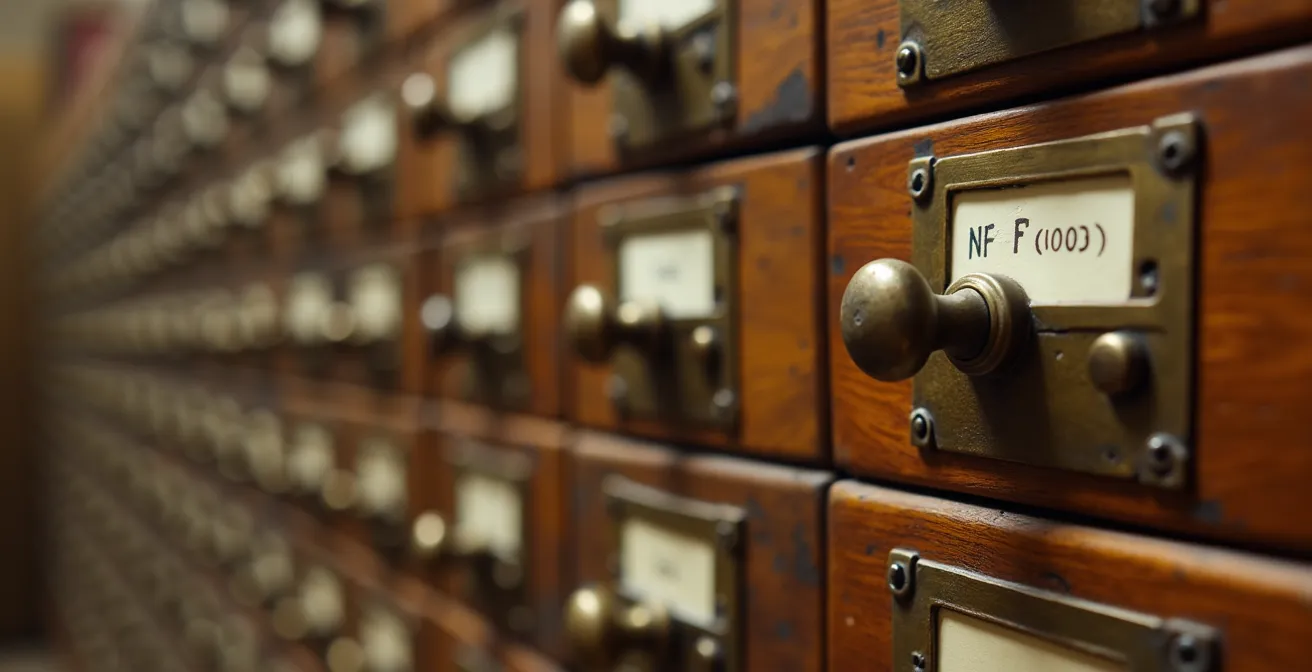
This level of organization isn’t about rigid bureaucracy; it’s about reducing friction and saving time. A simple, powerful naming convention might look like this: `YYYY-MM-DD_ProjectName_DocumentDescription_vX.X`. For example, `2024-10-26_Odyssey-Launch_Marketing-Brief_v1.2.pdf`. At a glance, anyone on the team knows the date, the relevant project, the document’s purpose, and its version. There is zero ambiguity.
This systematic approach is the secret behind hyper-efficient remote companies like GitLab. As detailed in a study on asynchronous work best practices, GitLab’s internal handbook is a masterclass in documentation. It would span over 2,000 printed pages and serves as the single source of truth for every process. Their success relies on a culture of rigorous documentation, where file naming conventions and clear information architecture make any piece of information findable in seconds. This eliminates repetitive questions and keeps their PM tools focused on tracking execution, not hoarding documents.
Implementing a naming convention requires discipline, but the payoff is immense. It transforms your PM tool from a messy file cabinet into a clean, searchable index that points to a well-organized digital library. It’s a foundational piece of digital hygiene that enables your team to work with confidence and speed.
Why Manual Data Entry Costs Your Business Thousands Annually
The cost of a cluttered digital workspace isn’t just about frustration; it’s measured in cold, hard cash. While the title mentions HR, the principle of manual data entry being a financial drain applies to every department. Every hour a project manager, marketer, or engineer spends manually copying information from a spreadsheet to a PM tool is an hour they’re not spending on strategic, revenue-generating activities. This accumulation of “low-value” tasks represents a significant operational cost that is often invisible on a balance sheet.
The stakes are incredibly high. While it’s difficult to quantify the cost of one person’s manual data entry, the aggregate effect contributes to massive inefficiencies. In a broader context, poor data management and inefficient processes are major contributors to project failure. In the United States alone, it’s estimated that failed IT projects cost between $50 billion and $150 billion annually in lost revenue and productivity. Many of these failures begin with small cracks in the foundation, like data entry errors and wasted time.
Conversely, the return on investment from automating these manual tasks can be staggering. A compelling case study from Zapier’s own use of automation for new-hire onboarding provides a powerful example. By automating the manual tasks associated with bringing on new employees, their team saved an incredible 206,000 minutes of work. That’s the equivalent of 86 full-time work weeks. This didn’t just save money; it also led to a 10% increase in participation from hiring managers, as the process became frictionless.
This is the true cost of manual data entry: not just the salary paid for the time spent, but the opportunity cost of what your most valuable employees *could* have been doing instead. Every automated workflow is a direct investment back into your team’s capacity for innovation and high-value output.
Why Your Lack of a Written Handbook Is Causing Slack Overload
If your team’s Slack or Teams channels are a constant stream of “Where can I find…?”, “Who do I talk to about…?”, and “What’s our policy on…?”, you don’t have a communication problem. You have a documentation problem. Your project management tool and chat apps have become a junkyard of repetitive questions because you lack a single source of truth. A written, living company handbook is the foundation of a clean and scalable communication system.
The handbook acts as your team’s external brain. It’s the one place to find answers to 90% of operational questions, from the expense policy to the brand style guide to the steps for deploying code. When this resource doesn’t exist or is out of date, your senior team members are forced to become walking, talking FAQs, answering the same questions over and over. This not only drains their time but also creates a bottleneck, preventing junior members from working autonomously.
Creating a “handbook-first” culture is a core practice of digital housekeeping. It requires a conscious shift from asking people to consulting documentation. Here are the key steps to implement this culture:
- Create a Response Template: Coach your team to answer questions with, “That’s a great question! The answer is documented here: [link].” If the documentation doesn’t exist, the person who asked the question is responsible for creating the first draft.
- Assign Documentation Ownership: Every question answered in a direct message or public channel should be seen as a signal that the handbook is incomplete. The person with the knowledge has a duty to document it.
- Embed Handbook Links: Integrate links to relevant handbook pages directly into your PM tool’s task templates. A “Publish Blog Post” task should automatically include a link to the “Editorial Style Guide.”
- Gamify Contributions: Celebrate and reward the team members who contribute the most valuable or most frequently used documentation each month. This reinforces the value of the shared resource.
By building this documentation muscle, you free your communication channels from repetitive noise. Your PM tool can focus on tracking the progress of work, and your chat app can be used for the high-value, urgent communication it was intended for.
Key Takeaways
- Tool bloat is a hidden tax; audit your stack for unused features and the “work about work” they create.
- Match your PM tool’s interface (e.g., visual Kanban vs. linear list) to your team’s dominant cognitive style to reduce friction and improve adoption.
- A written, up-to-date handbook is your single source of truth; it is the non-negotiable foundation of a scalable, async-first culture that prevents repetitive questions.
How to Transition From a Sync-Heavy Office to an Async-First Remote Team
The ultimate form of digital housekeeping is not about cleaning tools, but about cleaning the calendar. A culture that relies on synchronous (sync) meetings, constant chat, and immediate responses to get work done will always have a cluttered PM tool, because the work is happening everywhere *but* the system of record. Transitioning to an asynchronous-first (async) model is the final and most impactful step to creating a calm, focused, and productive work environment.
An async-first culture prioritizes deep work over constant interruption. It trusts team members to manage their own time and treats meetings as a last resort, not a default. This requires a profound shift in mindset, from “I need an answer now” to “I will provide all the context needed for a thoughtful answer later.” This philosophy is not just for remote teams; it benefits any team looking to reclaim focus. The goal is to allow for thoughtful, independent work, which is best captured within a structured environment like a well-managed PM tool.

The benefits of this transition are immense. In a powerful example, the company Remote transformed its performance review process from a sync-heavy, meeting-filled marathon to an async-first model based on written documentation. The result? A cycle that previously took six-to-eight weeks was completed in just 48 hours, saving 7,000 hours of work and achieving a 95% completion rate. This is the power of replacing chatter with clarity. Research further supports this, showing that teams embracing async communication can cut out unnecessary meetings and save, on average, six hours per week.
Transitioning to async means committing to the principles we’ve discussed: ruthless tool simplification, aggressive automation, a culture of writing, and a fanatical devotion to a single source of truth. It means valuing clear, written proposals over brainstorming meetings, and respecting “focus time” as sacred. When you master this, your PM tool finally becomes what it was always meant to be: a calm, clear, and accurate reflection of the work being done.
Stop tidying the symptoms of a chaotic digital workspace. Start engineering a clutter-free system today by auditing your tools, documenting your processes, and empowering your team with the focus they need to do their best work.