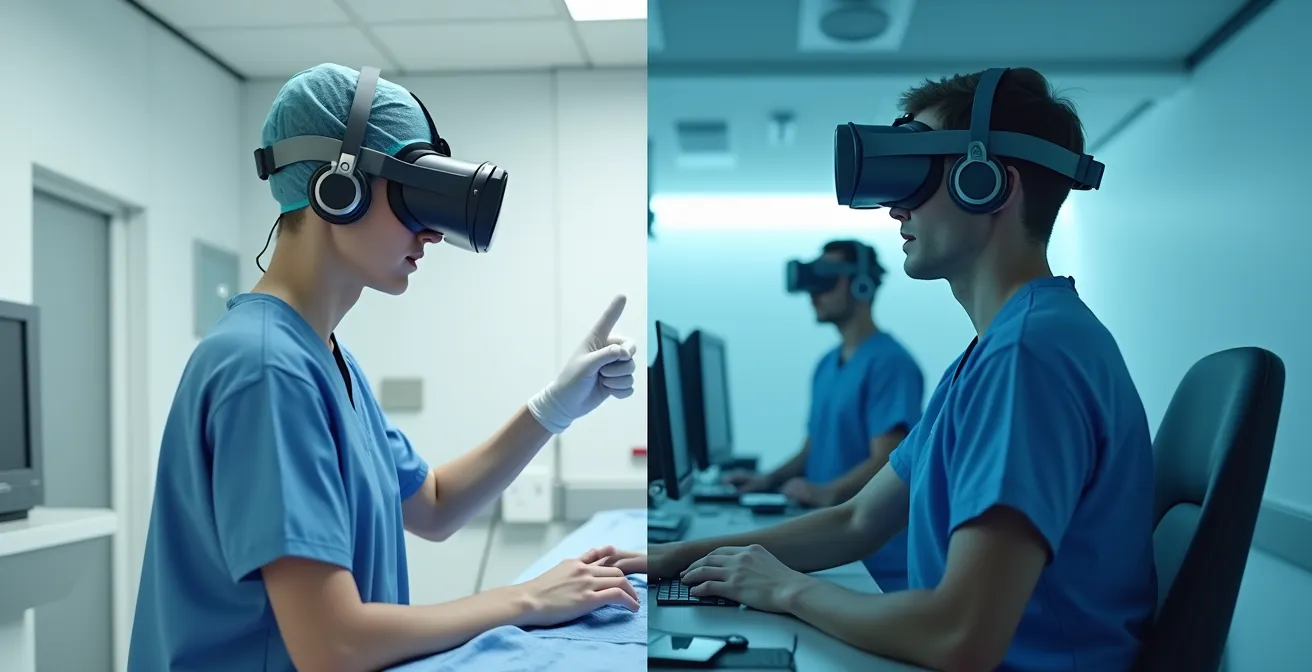
VR training’s true value isn’t just safety—it’s the ability to systematically engineer human reliability and generate quantifiable performance data.
- Active, haptic-enabled VR builds muscle memory far more effectively than passive observation, with studies showing dramatic improvements in procedural competence.
- Strategic scenario design and scalable device management are the keys to transforming VR from a novelty into a global training asset.
Recommendation: Start by prototyping low-fidelity scenarios to define learning objectives before investing in high-fidelity simulation.
In high-stakes professions like surgery and aviation, a single mistake can have catastrophic consequences. The traditional training model, “see one, do one, teach one,” is a paradigm fraught with risk, inconsistency, and immense cost. As a Training Director, your mandate is to build competency while mitigating this risk, a challenge that pushes legacy methods to their absolute limit. You are constantly balancing the need for hands-on experience against the prohibitive cost of operating room time or flight simulator hours and, most importantly, the imperative of absolute safety.
Many organizations look to Virtual Reality (VR) as a potential solution, often attracted by its immersive visuals and the obvious benefit of a no-risk environment. But this perspective only scratches the surface. Viewing VR as merely a “safe practice tool” is a strategic miscalculation. The real revolution isn’t the virtual environment itself; it’s the opportunity to implement a robust system of Human Reliability Engineering. This is about moving beyond simple procedural repetition and building a data-driven framework to measure, analyze, and predictably improve human performance under pressure.
The key shift in mindset is this: VR is not a replacement for a trainer; it is a force multiplier. It provides a platform for what we call Failure-as-a-Service—a controlled environment where trainees can and should make mistakes, allowing them to build the cognitive and motor skills needed to handle real-world adverse events. This approach transforms training from a qualitative art into a quantitative science.
This article will deconstruct how to move from a basic VR concept to a fully operational, scalable, and ROI-positive training program. We will explore how to design scenarios that build true decision-making skills, the critical difference between passive viewing and active learning, the technical pitfalls to avoid, and how to integrate performance data into your existing HR ecosystem. It’s time to look past the headset and see the strategic asset it represents.
This guide provides a comprehensive framework for leaders looking to implement VR training. We will break down the strategic, technical, and operational components required for a successful program, ensuring you can justify the investment and deliver measurable results.
Summary: Risk-Free Surgical and Pilot Training: How VR Engineers Human Reliability
- Why Spending $50k on a VR Module Is Cheaper Than One Real-Life Accident?
- How to Write Scenarios That React to Every User Mistake?
- Passive Observation or Active Interaction: Which Builds Muscle Memory?
- The Frame Rate Error That Makes Your Trainees Nauseous
- How to Manage 50 Headsets Across 3 Different Continents?
- How to Sync VR Headset Data With Your Legacy HR System?
- Low-Fi Paper Prototypes or Hi-Fi Digital Sims: What Do You Really Need?
- How to Train Crisis Response Teams Without Staging a Real Disaster?
Why Spending $50k on a VR Module Is Cheaper Than One Real-Life Accident?
The initial sticker price of a high-fidelity VR training module can seem substantial. But framing this as a cost is a fundamental error; it’s an investment in risk mitigation, and its ROI becomes undeniable when compared to the cost of a single adverse event. A surgical error, an aircraft incident, or a mining accident carries direct costs—lawsuits, equipment damage, operational downtime—and indirect costs like reputational damage and increased insurance premiums that can dwarf the initial training investment. The focus must shift from expenditure to value preservation.
The economic case for VR is not just about accident avoidance. It’s also about radical operational efficiency. Traditional training is resource-intensive, requiring dedicated instructors, physical space like an operating room or a multi-million dollar flight simulator, and consumables. An analysis shows VR training ends up being up to 23x less expensive than equivalent in-person training when all factors are considered. Trainees can practice anytime, anywhere, without consuming expensive physical resources or requiring one-on-one supervision for every session. This allows for a massive increase in practice volume, directly correlating to higher proficiency.
Furthermore, the market itself validates this strategic direction. The investment is not just in a single piece of software but in a methodology that is becoming the industry standard. This is not a fleeting trend but a fundamental shift in how high-consequence industries ensure workforce competence. A Training Director must articulate this not as a departmental budget item, but as a core component of the organization’s enterprise risk management strategy. The question isn’t whether you can afford to invest in VR; it’s whether you can afford not to.
Ultimately, a $50,000 VR module that prevents one million-dollar incident isn’t a cost; it’s one of the highest-return investments an organization can make in its own stability and excellence.
How to Write Scenarios That React to Every User Mistake?
The power of VR training lies not in perfectly executing a procedure, but in learning from imperfect execution. A truly effective simulation is not a linear checklist; it’s a dynamic, branching-path narrative that anticipates and responds to user error. This requires a fundamental shift in instructional design, moving from static content to a model of Failure-as-a-Service. Your goal is to create scenarios where mistakes are not just possible, but are instructive teaching moments.
The process begins with a deep collaboration between Subject Matter Experts (SMEs)—the senior surgeons or veteran pilots—and the development team. It’s not enough to script the “golden path.” You must meticulously map out all common, and even uncommon, deviation points. For every critical step in a procedure, ask the SME: “What is the most common mistake a novice makes here? What is the most dangerous? What is a subtle error that has downstream consequences?” Each of these becomes a branch in the simulation, leading to specific feedback, remedial loops, or realistic consequences within the virtual environment. As a representative from Osso VR noted in a discussion with the Communications of the ACM, this is a structured process. Kirk from Osso VR explains:
We read the technique guide and write a script, and then a production team takes the script and says, ‘We’re gonna need to make models for these devices, and we’re gonna need this kind of anatomy’
– Kirk (Osso VR representative), Communications of the ACM
This highlights the translation from expert knowledge into a functional digital experience. The key is to move beyond simple pass/fail metrics and build a system that provides instructive feedback loops, enhancing decision-making under ambiguity rather than just procedural recall. The following table breaks down the crucial differences between these two design philosophies.
| Feature | Static Scenarios | Dynamic Multi-Path Scenarios |
|---|---|---|
| Error Response | Simple pass/fail | Instructive feedback loops |
| Adaptability | Fixed sequence | Multiple branching paths |
| Learning Model | Procedural checklist | Decision-making under ambiguity |
| SME Involvement | Initial script only | Continuous collaboration |
By designing for failure, you build resilience. The trainee who has already navigated a dozen potential complications in the simulator is infinitely better prepared for the unexpected than one who has only practiced the perfect procedure.
Passive Observation or Active Interaction: Which Builds Muscle Memory?
The distinction between watching a procedure and performing it, even virtually, is the difference between familiarity and true competence. Passive learning, like watching a 360-degree video of a surgery, can build situational awareness. However, it does not build the critical muscle memory and psycho-motor skills required to perform high-stakes tasks under pressure. True learning in this context requires active, hands-on interaction where the brain forms a direct link between a decision and a physical action.
This is where haptic feedback—the technology that simulates touch and resistance—becomes a game-changer. When a surgical trainee in VR feels the subtle “give” as a needle passes through different tissue layers, or a pilot feels the joystick resistance change with airspeed, their brain is encoding a rich, multi-sensory experience. This is what forges the neural pathways of muscle memory. The simulation moves beyond being a visual representation to become a true rehearsal for the physical task. This level of cognitive fidelity, replicating the mental and tactile experience, is what separates basic VR from an elite training tool.

The data overwhelmingly supports this active approach. For instance, peer-reviewed research shows learners trained with Osso VR achieved 300% higher procedural competence scores compared to those trained with traditional methods. More powerfully, a landmark study conducted by Imperial College London for the Johnson & Johnson Institute found that after VR training, 83% of VR-trained residents were able to perform procedures with little or no guidance, while none of the conventionally trained group were able to do the same. The results are not incremental; they are transformative.
As a Training Director, the choice is clear. To build a workforce that can perform, not just know, you must invest in interactive simulations that engage the hands as much as the eyes and mind.
The Frame Rate Error That Makes Your Trainees Nauseous
While VR offers immense training potential, a poorly implemented system can be counterproductive, with the most common failure point being “simulator sickness.” This phenomenon, characterized by nausea, dizziness, and headaches, arises from a mismatch between what the eyes see and what the inner ear’s vestibular system perceives. It’s a critical technical barrier that can derail an entire training program if not managed proactively. The culprit is almost always latency—specifically, a motion-to-photon latency greater than 20 milliseconds.
When a trainee turns their head, the image in the headset must update in under 20ms to trick the brain into believing the virtual world is stable. Any longer, and the vestibular-ocular disconnect begins, triggering nausea. This is not just a matter of comfort; it fundamentally breaks the immersion and trust required for effective learning. Interestingly, this isn’t just a problem for novices. In flight simulation, studies have found that experienced flight instructors showed higher susceptibility with 60% reporting symptoms compared to only 12% of students, suggesting that a brain finely tuned to real-world physics may be even more sensitive to virtual inconsistencies.
Mitigating simulator sickness requires a combination of technical optimization and smart instructional design. On the hardware side, you must invest in headsets and computing power capable of maintaining a high, stable frame rate (90Hz or more) consistently. On the software side, developers must avoid artificial camera movements (like smooth panning) and instead rely on the user’s natural head movements or “teleportation” mechanics for navigation. Most importantly, you must have a clear onboarding protocol for your trainees to help them develop their “VR legs.”
Your Action Plan: The “VR Legs” Acclimatization Protocol
- Assess Tolerance: Start all new users with short, 10-15 minute initial sessions to gauge individual sensitivity.
- Implement Gradual Exposure: Incrementally increase session duration by 5 minutes each time until the target training duration is comfortably reached.
- Monitor Performance: Ensure the system’s motion-to-photon latency is consistently kept under the 20ms threshold.
- Design for Stability: Use fixed reference points in the virtual environment’s peripheral vision (like a cockpit frame or a static UI element) to give the brain a stable anchor.
- Schedule Mandatory Breaks: Enforce regular breaks every 30 minutes, even for users who feel fully adapted, to prevent cumulative fatigue.
Ignoring this issue is not an option. A nauseous trainee learns nothing, and a program that makes users sick will be abandoned. Prioritizing user comfort is a prerequisite for achieving any learning objective.
How to Manage 50 Headsets Across 3 Different Continents?
A successful VR training pilot with a handful of headsets is one thing. Scaling that program to a global workforce of hundreds or thousands across multiple sites is an entirely different operational challenge. As a Training Director, your focus must quickly shift from content to logistics: How do you deploy, update, secure, and monitor a distributed fleet of VR devices? This is where the concept of scalable competency meets the reality of enterprise IT management.
Without a centralized management strategy, you face chaos. Local teams will be burdened with manual software updates, inconsistent content versions, and no way to troubleshoot devices remotely. Security becomes a nightmare, and collecting unified training data is impossible. The solution is a Mobile Device Management (MDM) platform specifically designed for VR/XR devices. Solutions like ArborXR, ManageXR, or VMWare Workspace ONE provide a single pane of glass to control your entire fleet.

These platforms enable critical functions for scaling. With zero-touch provisioning, you can ship a headset directly to a facility in another country, and as soon as it connects to Wi-Fi, it automatically downloads the correct training modules, settings, and security policies without local IT intervention. You can push content updates to all 50 or 500 headsets simultaneously, ensuring every trainee is using the latest version. Most importantly, you can remotely monitor device health, battery life, and usage, and even launch trainees into specific applications, creating a “kiosk mode” that prevents unauthorized use. This level of control is essential for maintaining program integrity and proving its value through consistent, reliable deployment, as shown in multi-site pilot studies that demonstrate significant safety improvements.
Thinking about fleet management from day one is not premature optimization; it is the strategic foresight that distinguishes a small-scale experiment from a transformative global training initiative.
How to Sync VR Headset Data With Your Legacy HR System?
The most underutilized feature of VR training is the data it generates. While traditional training gives you a pass/fail or a subjective instructor assessment, VR provides a continuous stream of objective, granular data. This is performance telemetry. We can move beyond “Did the trainee complete the module?” to answer far more valuable questions: “How steady were their hands during the critical phase of the procedure? How long did they hesitate before making a key decision? Where was their gaze focused during the simulated engine failure?” This data is the raw material for predictive analytics and personalized learning pathways.
However, this data is useless if it remains siloed within the VR application. The ultimate goal is to integrate it with your central Human Resources Information System (HRIS) or Learning Management System (LMS). This creates a holistic view of employee competence, linking simulation performance to real-world outcomes. The key to this integration is adopting a standardized data format, such as the Experience API (xAPI).
Move beyond simple completion data. Propose a data model using the xAPI standard to capture granular performance metrics like hand stability, gaze patterns under stress, hesitation time.
– Industry Best Practice, Extended Reality Training Standards
Using xAPI, the VR simulation sends detailed statements to a Learning Record Store (LRS) in a simple “Noun, Verb, Object” format (e.g., “Jane Smith ‘hesitated’ for ‘2.3 seconds’ during ‘Aortic Valve Incision'”). The LRS can then be configured to push this structured data to your HRIS. This integration unlocks powerful capabilities. You can create dashboards that flag trainees who are struggling with specific skills, automatically assign remedial VR modules, and correlate high simulation scores with lower incident rates in the field. This requires a robust data governance framework, defining who can see what data and ensuring compliance with regulations like GDPR or HIPAA, especially when dealing with biometric or performance data.
By treating performance data as a strategic asset, you transform your training department from a cost center into a vital hub for operational intelligence and risk management.
Low-Fi Paper Prototypes or Hi-Fi Digital Sims: What Do You Really Need?
A common mistake when launching a VR training initiative is jumping directly to developing a high-fidelity, photorealistic simulation. This approach is not only expensive and time-consuming, but it often focuses development resources on visual polish before the core learning objectives are even validated. A far more strategic and cost-effective approach is to use a phased prototyping model, starting with low-fidelity methods to de-risk the project early on.
Before writing a single line of code, you can use paper prototypes or tabletop exercises. This involves laying out the steps of a procedure on cards or a whiteboard and having SMEs and trainees walk through the decision-making process. This incredibly cheap and fast method is perfect for validating the core logic of your scenario. Does the decision tree make sense? Are the critical failure points correctly identified? Answering these questions on paper might cost a few hundred dollars and a day of your team’s time, versus tens of thousands discovering the same logical flaws after months of development.
Once the logic is sound, you can move to a “grey-box” VR prototype. This is a functionally interactive but graphically simple version of the simulation. The focus here is on testing the user flow, interaction mechanics, and overall feel of the experience. Is it intuitive to pick up the virtual tools? Is the sequence of tasks logical? This stage allows you to refine the core gameplay loop before investing in detailed 3D models and environments. Only after this stage is complete should you commit the full budget to a high-fidelity simulation designed for final skills assessment and deployment. This tiered approach provides clear go/no-go decision points at each stage, ensuring the final product is built on a validated foundation.
The following table outlines a strategic framework for choosing the right prototyping method based on your development stage and goals.
| Development Stage | Recommended Method | Cost | Time to Implement | Best For |
|---|---|---|---|---|
| Concept Validation | Paper/Tabletop | $100-500 | 1-2 days | Decision logic |
| Interaction Testing | Grey-box VR | $5K-10K | 2-4 weeks | User flow |
| Skills Assessment | Hi-Fi Simulation | $50K+ | 3-6 months | Final training |
By starting low-fi, you ensure your investment is directed by proven learning objectives and user feedback, not by assumptions. This is how you build the right training solution, not just a beautiful one.
Key Takeaways
- VR’s primary value is not just safety, but its function as a data-driven system for engineering human reliability and mitigating operational risk.
- Effective VR training relies on active, haptic-enabled interaction to build muscle memory and dynamic scenarios designed to be instructive during failure.
- Scaling a VR program requires a strategic approach to both technical challenges, like simulator sickness, and logistical hurdles, like global device management.
How to Train Crisis Response Teams Without Staging a Real Disaster?
The ultimate test of any training program is not how well personnel perform a routine task, but how they react when everything goes wrong. Training for high-consequence, low-frequency events—a multi-casualty incident in an ER, a fire in an engine nacelle, a chemical spill—is notoriously difficult and expensive to stage in the real world. This is where multi-user VR provides a capability that is simply unattainable through other means. It allows you to immerse an entire team in a shared, dynamic crisis simulation.
In a multi-user VR scenario, the surgical team, the flight crew, or the plant’s emergency response team can all interact in the same virtual space, in real-time, from different physical locations. The lead surgeon can direct assistants, the captain can coordinate with the first officer, and the incident commander can deploy team members. This trains not just individual procedural skills, but the far more critical and complex skills of team communication, coordination, and shared decision-making under extreme stress.
You can inject unexpected events—a patient suddenly destabilizing, a key piece of equipment failing, a secondary explosion—and analyze how the team adapts. The performance telemetry captured is exponentially richer; you’re not just measuring one person’s hand stability, but the entire team’s communication latency, their collective gaze patterns, and their adherence to crisis protocols. The safety impact of this type of training is significant. For example, by using VR for general safety and hazard awareness training, Tyson experienced more than a 20% reduction in injuries and illnesses, demonstrating the direct link between virtual rehearsal and real-world safety outcomes.
By providing a safe and repeatable environment to practice for the worst-case scenario, VR training allows organizations to build resilient teams that are truly prepared for a crisis, an investment whose value is, frankly, immeasurable.